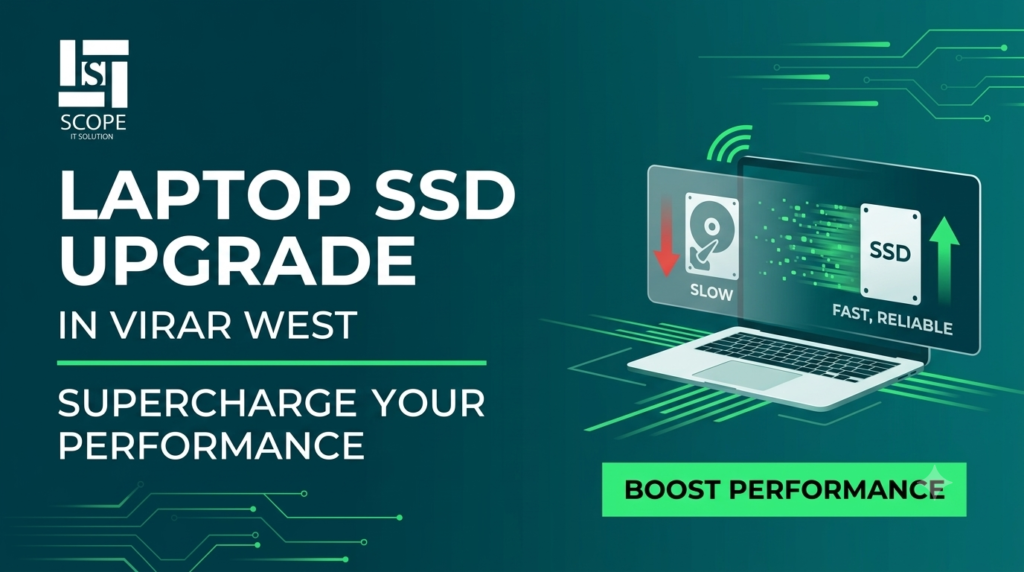
Is your laptop taking forever to start? Are applications freezing constantly? These are classic signs that your laptop's old HDD (Hard Disk Drive) is struggling and needs an SSD (Solid State Drive) upgrade. Many users in Virar West (Global City), Vasai and Nalasopara are now upgrading their laptops with SSDs for dramatically faster performance at an affordable cost.
At Scope IT Solution, we provide professional SSD upgrade services for all laptop brands across Virar West, Global City, Vasai and Nalasopara. Here are 7 clear signs your laptop needs an SSD upgrade right now.
1. Your Laptop Takes More Than 2 Minutes to Start
If your laptop takes more than 2 minutes to boot up, your HDD is the main culprit. A modern SSD can reduce boot time to under 15 seconds on the same laptop. This is the most common complaint we receive from users in Virar West and Global City who bring their laptops for repair.
2. Applications Take Forever to Open
When you click on Chrome, MS Word or Tally and wait 30-60 seconds for it to open, that's a clear sign your storage is too slow. An SSD upgrade makes applications open in 2-3 seconds, making your laptop feel brand new again.
3. Your Laptop Freezes or Hangs Frequently
Random freezing, spinning wheel, or "Not Responding" errors are classic symptoms of a failing or slow HDD. Many users in Vasai and Nalasopara mistake this for a virus issue but in most cases, an SSD upgrade completely eliminates this problem without any data loss.
4. You Hear Clicking or Grinding Sounds
A clicking or grinding sound from your laptop is a serious warning sign your HDD is physically failing. This can lead to permanent data loss. If you hear these sounds, bring your laptop to Scope IT Solution immediately for data backup and SSD replacement before it's too late.
5. Your Laptop is 4+ Years Old and Feels Slow
Most laptops sold before 2021 came with traditional HDDs. If your laptop is 4 or more years old and feeling sluggish an SSD upgrade is the single best investment you can make. It costs less than buying a new laptop and gives similar performance improvement. Most of our customers in Virar West are amazed at how fast their old laptop becomes after an SSD upgrade.
6. Your Laptop Overheats Quickly
Old HDDs work harder to read and write data, generating more heat. An SSD produces significantly less heat and consumes less power which also improves your laptop's battery life by 20-30%. This is especially useful for students and professionals in Global City who use laptops for long hours.
7. You're Running Out of Storage Space
If your laptop is constantly showing "Low Disk Space" warnings, upgrading to a larger SSD solves two problems at once you get faster performance AND more storage. We offer SSD upgrades from 256GB to 2TB depending on your needs and budget.
SSD vs HDD — How Much Faster Is It?
| Feature | Old HDD | New SSD |
|---|---|---|
| Boot Time | 2-5 minutes | 10-15 seconds |
| App Opening Speed | 30-60 seconds | 2-3 seconds |
| File Transfer Speed | 80-160 MB/s | 500-3500 MB/s |
| Noise | Clicking/Spinning | Completely Silent |
| Battery Life | Standard | 20-30% better |
| Risk of Data Loss | High (moving parts) | Very Low |
Our SSD Upgrade Process at Scope IT Solution
- Free diagnosis & assessment of your current storage
- Recommendation of the right SSD size and type for your Desktop/Laptop
- Complete data backup before upgrade
- Professional SSD installation with OS cloning
- Testing & verification of performance improvement
- Data restore and final handover same day in most cases
Laptop Brands We Upgrade
Dell • HP • Lenovo • Acer • Asus • Sony • Toshiba • Samsung
📍 SSD Upgrade Service Areas: Virar West (Global City) • Virar East • Vasai West • Vasai East • Nalasopara • Mira Road & nearby areas
Get Your Laptop SSD Upgrade in Virar West Today!
Free diagnosis • Same-day service • All brands • Data backup included
Also check our related services: Computer & Laptop Repair in Virar West | IT AMC Services | Data Backup Solutions